Sunday, December 8, 2013

[Lynis v1.3.5] The Unix / Linux auditing, security and hardening Tool

Security and system auditing tool to harden Linux systems (and more)

Lynis is an auditing tool for Unix/Linux. It performs a security scan and determines the hardening state of the machine. Any detected security issues will be provided in the form of a suggestion or warning. Beside security related information it will also scan for general system information, installed packages and possible configuration errors.

This software aims in assisting automated auditing, hardening, software patch management, vulnerability and malware scanning of Unix/Linux based systems. It can be run without prior installation, so inclusion on read only storage is possible (USB stick, cd/dvd).

Lynis assists auditors in performing Basel II, GLBA, HIPAA, PCI DSS and SOx (Sarbanes-Oxley) compliance audits.

Intended audience:
Security specialists, penetration testers, system auditors, system/network managers.

Examples of audit tests:
- Available authentication methods
- Expired SSL certificates
- Outdated software
- User accounts without password
- Incorrect file permissions
- Configuration errors
- Firewall auditing

Current state:
Stable releases are available, development is active.

Background information:
Lynis is an audit script written in the common shell scripting language (sh). Therefore it runs on most systems without any adjustments. Packages are created by several maintainers, for easier installation. Still, if one would like to use the latest version, simply download the tarball, extract it to a temporary directory and run the tool.

System requirements:
- Compatible operating system (see 'Supported operating systems')
- Default shell


Supported operating systems

Tested on:
- Arch Linux
- CentOS
- Debian
- Fedora Core
- FreeBSD
- Gentoo
- Knoppix
- Linux Mint
- Mac OS X
- Mandriva
- OpenBSD
- OpenSolaris
- OpenSuSE
- Oracle Linux
- PcBSD
- PCLinuxOS
- Red Hat Enterprise Linux (RHEL)
- Red Hat derivatives
- Slackware
- Solaris 10
- Ubuntu
Download Lynis v1.3.5

[WiFi Password Remover] Wireless (WEP/WPA/WPA2) Password/Profile Removal Software

WiFi Password Remover is the Free software to quickly recover and remove Wireless account passwords stored on your system.

For each recovered Wi-Fi account, it displays following details,
  • WiFi Name (SSID)
  • Security Settings (WEP-64/WEP-128/WPA2/AES/TKIP)
  • Password Type
  • Password in Hex format
  • Password in clear text
Once recovered, you can either remove single or all of them with just a click.Before proceeding with deletion, you can also take a backup of recovered Wi-Fi password list to HTML/XML/TEXT file.

One of the unique feature of this tool is that it can recover all type of Wi-Fi passwords including the ones which are not shown by 'Windows Wireless Manager', thus allowing you to remove all the hidden wireless passwords/profiles also.Download WiFi Password Remover v1.0


Saturday, December 7, 2013

Video Dark Mint [Blackhat Edition]

Video

Crunch + Aircrack GUI for WPA [For Windows]

Download AirCrack GUI For WPA For Windows Here

Hydra v 7.4: Fast Network cracker

One of the biggest security holes are passwords, as every password security study shows. A very fast network logon cracker which support many different services, THC-Hydra is now updated to 7.4 version.

Hydra available:

 for Linux, Windows/Cygwin, Solaris 11, FreeBSD 8.1 and OSX, Currently supports AFP, Cisco AAA, Cisco auth, Cisco enable, CVS, Firebird, FTP, HTTP-FORM-GET, HTTP-FORM-POST, HTTP-GET, HTTP-HEAD, HTTP-PROXY, HTTPS-FORM-GET, HTTPS-FORM-POST, HTTPS-GET, HTTPS-HEAD, HTTP-Proxy, ICQ, IMAP, IRC, LDAP, MS-SQL, MYSQL, NCP, NNTP, Oracle Listener, Oracle SID, Oracle, PC-Anywhere, PCNFS, POP3, POSTGRES, RDP, Rexec, Rlogin, Rsh, SAP/R3, SIP, SMB, SMTP, SMTP Enum, SNMP, SOCKS5, SSH (v1 and v2), Subversion, Teamspeak (TS2), Telnet, VMware-Auth, VNC and XMPP.

Change Log:
 
New module: SSHKEY - for testing for ssh private keys (thanks to deadbyte(at)toucan-system(dot)com!)
Added support for win8 and win2012 server to the RDP module
Better target distribution if -M is used
Added colored output (needs libcurses)
Better library detection for current Cygwin and OS X
Fixed the -W option
Fixed a bug when the -e option was used without -u, -l, -L or -C, only half of the logins were tested
Fixed HTTP Form module false positive when no answer was received from the server
Fixed SMB module return code for invalid hours logon and LM auth disabled
Fixed http-{get|post-form} from xhydra
Added OS/390 mainframe 64bit support (thanks to dan(at)danny(dot)cz)
Added limits to input files for -L, -P, -C and -M - people were using unhealthy large files! ;-)
Added debug mode option to usage (thanks to Anold Black).Download Hydra Here


Friday, December 6, 2013

[Cansina] Web Content Discovery Application

It takes general available lists of common path and files used by web applications and make URL requests looking back to the server response code. Cansina stores the information in a sqlite database (omitting 404 responses). One for every new url (think this as a kind of projects feature) and the same database for every new payload on the same url.It aims to be (very) simple and straight to use doing only one thing: Discover content.The app is far from being finished, probably is poorly coded and I wouldn't recommend it to use in a serious pentesting session.Lists from fuzzdb are included in this repository for convenience but are not part of the project. You can use whatever list you want.


Features
  • Threads (well, processes)
  • HTTP/S Proxy support (thanks to requests)
  • Data persistance (sqlite3)
  • Support for multiextensions list (-e php,asp,aspx,txt...)
  • Content inspector (will watch for a specific string inside web page content)
  • Skip fake 404 (best as possible)
  • Skip by filtering content
  • Replacing (for URL fuzzing)
  • Reporting tool
  • Basic Authentication
 Download Cansina Here

[zAnti] Android Network Toolkit

Anti consists of 2 parts: The Anti version itself and extendable plugins. Upcoming updates will add functionality, plugins or vulnerabilities/exploits to Anti.

Using Anti is very intuitive - on each run, Anti will map your network, scan for active devices and vulnerabilities, and will display the information accordingly: Green led signals an 'Active device', Yellow led signals "Available ports", and Red led signals "Vulnerability found". Also, each device will have an icon representing the type of the device. When finished scanning, Anti will produce an automatic report specifying which vulnerabilities you have or bad practices used, and how to fix each one of them.


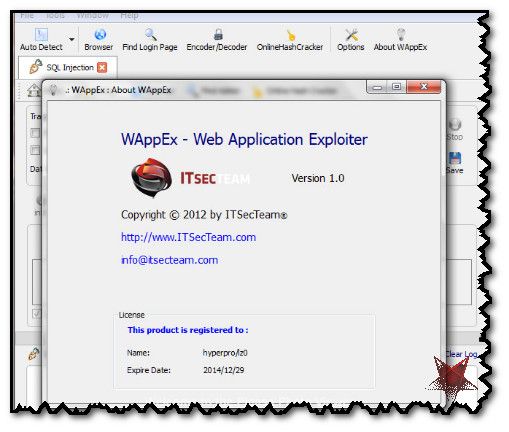
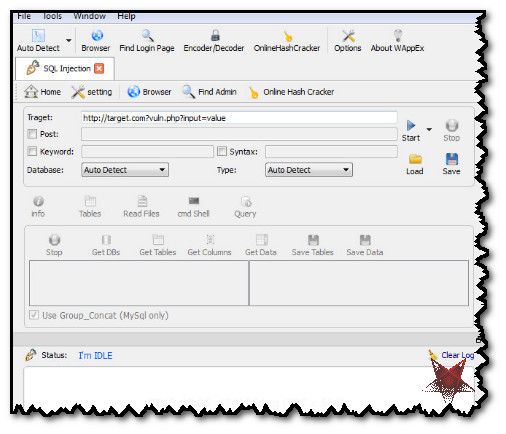
[WAppEx v1.0] Web Application Exploitation Tool

WAppEx is an integrated Web Application security assessment and exploitation platform designed with the whole spectrum of security professionals to web application hobbyists in mind. It suggests a security assessment model which revolves around an extensible exploit database. Further, it complements the power with various tools required to perform all stages of a web application attack.Download Here


Subscribe in Bloglines Msn bot last visit powered by MyPagerank.Net Yahoo bot last visit powered by MyPagerank.Net
I heart FeedBurner downtime checker The Ubuntu Counter Project - user number # 31290

 
Twitter Delicious Facebook Digg Stumbleupon Favorites More

 
Powered by TadPole
FOG FLAMES